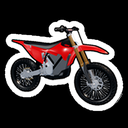
Bike Universe Garage Guide: Find and Check Your Bikes
Use the Bike Universe collection filters, search and EQUIPPED tag described by the community to find an owned ride and locate the reported purchase entry.
Use the Bike Universe collection filters, search and EQUIPPED tag described by the community to find an owned ride and locate the reported purchase entry.
Open BIKES and Find the Selected Ride
To inspect your Bike Universe collection, open BIKES, start with ALL, and look for the EQUIPPED marker. Use the category filters or the text search field when you want to narrow the list. This Bike Universe garage guide follows the community-reported workflow for finding an owned ride and choosing between editing and buying.
The community garage reference describes the interface below; it has not been independently tested here. It identifies the selected-ride marker, but does not establish the precise interaction for changing that selection, a complete current roster, or exact cash prices.
| Collection element | Reported purpose | What to do with it |
|---|---|---|
| BIKES | Opens the owned-bike collection | Begin your collection check here |
| ALL | Displays the full collection | Establish the broad view before narrowing it |
| Search field | Text search above the collection | Look for a name you recognize |
| EQUIPPED | Marks the current selection | Identify which entry is selected |
Keep viewing and selecting separate in your reasoning. Finding an entry shows you what that collection view contains; EQUIPPED answers which ride is selected. Neither observation gives a current price or proves that every player receives a particular starter model.
Use Filters Without Turning Them Into Specifications
The community Bike Universe reference names E-BIKES, MOTORBIKES, and SPORT BIKES as filters alongside ALL. Use them to narrow the displayed collection. If an expected entry is absent from a filtered list, return to ALL before deciding that the entry itself is missing.
| Set of labels | Source | How to interpret it |
|---|---|---|
| ALL, E-BIKES, MOTORBIKES, SPORT BIKES | Community collection description | Views for browsing the collection |
| Electric, dirt, pedal | Official creator description | The three named bike categories in the feature overview |
| Two-seated bikes | Official creator description | A separately listed seating feature |
The two sets of bike labels are different. SPORT BIKES is a reported interface filter, rather than proof of a performance tier, and MOTORBIKES does not supply a weight or fuel-system specification for every entry shown. Do not infer a fixed upgrade path from the order of those buttons.
If your next question is which category suits your riding plans, the electric-versus-dirt comparison covers attributed community assessments. The garage filters themselves answer a browsing question, rather than measuring speed, handling, or earnings.
Distinguish an Owned Ride, an Edit, and a Purchase
The Bike Universe community garage source names BMX, Pitster 110, Mayo 250cc, and Suron as listing examples. Treat them as reported examples, rather than an official complete roster or a promise that those entries are in every player's collection.
When you find the entry you were looking for, choose the next step according to your goal. The source describes BUILD as editing an already owned bike and BUY MORE as the collection's purchase entry. Those tasks should not be combined into an assumption that inspecting or editing a ride requires another purchase.
| Your goal | Relevant reported entry | What this establishes |
|---|---|---|
| Inspect owned rides | BIKES | Collection access |
| Identify the current selection | EQUIPPED marker | Selection status |
| Edit an owned bike | BUILD | An editing task rather than a new purchase |
| Look into another purchase | BUY MORE | A purchase entry within the collection |
There is also a separately documented paid vehicle offer. The official pass catalog lists Stryk Vorg at a public base price of 399 Robux, with a description saying it grants the stark varg in game. That is evidence for this stated entitlement, rather than a cash price for other garage models.
The game-pass overview lists all six current passes. Avoid assuming that Luxury Pack adds specific rides or that More Builds changes the number of bikes you can own; their public descriptions are empty in the snapshot.
Work Through an Unexpected Collection View
For a Bike Universe collection check, first identify the view you have open. A short filtered list, an unfamiliar search result, and uncertainty about the selected ride are different questions.
If the list seems incomplete, use ALL to inspect the full collection. If you are seeking a known name, use the text search field. If you can see several entries but do not know which is selected, look for EQUIPPED. These are checks that follow from the reported interface, rather than tested fixes for missing ownership or purchase-delivery problems.
For example, a rider browsing E-BIKES might return to ALL and then search a familiar model name. That checks the collection view without purchasing anything. If the underlying question is whether a new offer is worth buying, read its currency, price, and stated benefit separately; a filter label cannot answer that question.
Frequently Asked Questions
How do I open the Bike Universe collection?
The community garage guide identifies BIKES as the owned-bike collection entry. Start with ALL, then narrow the view with filters or search.
What does EQUIPPED mean?
It marks the currently selected ride in the community description. The available material does not provide a verified step-by-step interaction for changing that selection.
Is BUILD the same as BUY MORE?
BUILD edits an already owned bike, while BUY MORE is the collection's purchase entry. Choose the task that matches your goal.
Do the filters list every official bike category?
The Bike Universe creator names electric, dirt, and pedal bikes. The collection uses ALL, E-BIKES, MOTORBIKES, and SPORT BIKES, so the two sets of labels should be read separately.